
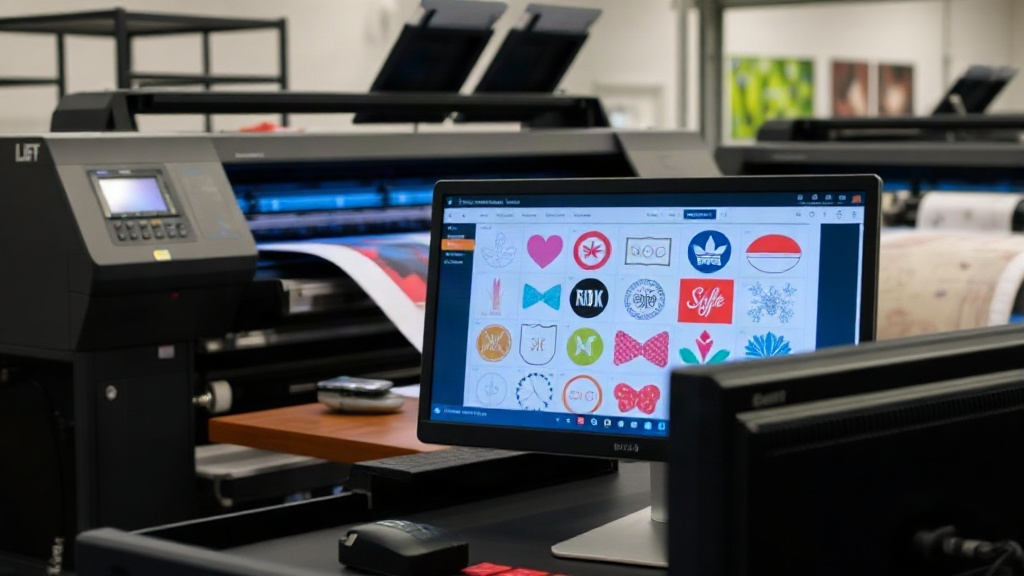
If you run a DTF printing business, you already know that time is money. Every minute spent manually arranging designs on a transfer film is a minute not spent printing, pressing, or fulfilling orders. That's where a dtf gangsheet builder comes in. This tool isn't just a convenience; it's a game-changer for efficiency and profitability. In this article, we'll explore what a gangsheet builder is, why it matters, and how to use it to streamline your operations and boost your bottom line.
What Is a DTF Gangsheet Builder?
A dtf gangsheet builder is software or an online tool that helps you arrange multiple designs onto a single sheet of DTF transfer film. Instead of printing each design individually, you nest them together to maximize film usage. The term "gangsheet" comes from the idea of grouping (or "ganging") several jobs onto one sheet. This approach is common in screen printing and digital printing, but it's especially valuable in dtf printing because film and ink costs are significant.
Most gangsheet builders offer drag-and-drop interfaces, automatic nesting algorithms, and real-time cost calculations. Some are standalone applications, while others integrate with popular design software like Photoshop or Illustrator. The goal is simple: fit as many designs as possible onto a sheet with minimal waste, while maintaining print quality and proper spacing for cutting.
Why You Need a Gangsheet Builder for DTF Printing
DTF printing involves transferring designs onto a special film, then applying them to garments using a heat press. The film itself is a major expense, and so is the ink and powder. If you're printing one design per sheet, you're likely wasting a lot of material. A gangsheet builder helps you avoid that waste by optimizing the layout.
But the benefits go beyond cost savings. Here are the key advantages:
- Time savings: Manually arranging designs in a graphics program can take hours, especially for complex orders. A gangsheet builder automates the process, letting you focus on other tasks.
- Reduced material waste: By nesting designs tightly, you use less film and ink, which directly cuts your production costs.
- Consistent quality: Automated spacing ensures designs don't overlap and have enough margin for clean cutting, reducing errors.
- Scalability: As your order volume grows, manual methods become unsustainable. A builder lets you handle larger batches without hiring more staff.
In short, a dtf gangsheet builder is not a luxury; it's a necessity for any serious DTF printer.
How to Choose the Right Gangsheet Builder
Not all gangsheet builders are created equal. When evaluating options, consider these factors:
1. Ease of Use
Look for a tool with an intuitive interface. If it takes a week to learn, it's not saving you time. Drag-and-drop functionality, keyboard shortcuts, and a clean layout are essential.
2. Automatic Nesting
The best builders use algorithms to automatically arrange designs for maximum density. This is crucial for irregular shapes. Manual nesting is time-consuming and often leaves gaps.
3. Integration with Your Workflow
Does the builder accept common file formats like PNG, JPG, or PDF? Can you import designs directly from your design software? Ideally, it should fit seamlessly into your existing process.
4. Cost Calculation
Some builders calculate the cost of film, ink, and powder based on the layout. This helps you price jobs accurately and identify areas to cut costs.
5. Output Options
You'll need to export the gangsheet as a high-resolution file for printing. Check that the builder supports your printer's required format and resolution (typically 300 DPI).
Many DTF printers use RIP software that includes a gangsheet builder. If yours doesn't, standalone options are available, some free and some paid. Test a few to see which one suits your needs.
Step-by-Step: Using a DTF Gangsheet Builder
Let's walk through the typical workflow of creating a gangsheet using a builder. The exact steps may vary by tool, but the general process is similar.
- Import your designs: Start by uploading all the designs you want to include. Most builders support batch import.
- Set your sheet size: Choose the dimensions of your DTF film. Common widths are 13", 17", and 24". The length can be customized.
- Arrange designs: Use the automatic nesting feature to place designs. You can also manually adjust positions if needed.
- Add spacing and cut lines: Ensure there's enough space between designs for cutting. Some builders automatically add cut lines or registration marks.
- Review and optimize: Check the layout for any gaps or overlaps. Most builders show a utilization percentage; aim for 85% or higher.
- Export and print: Save the gangsheet as a high-resolution file and send it to your DTF printer.
After printing, you'll apply adhesive powder, cure the ink, and press the transfers onto garments. The gangsheet approach doesn't change the printing process; it just makes it more efficient.
Best Practices for Maximizing Gangsheet Efficiency
Even with a builder, you can do more to optimize your gangsheets. Here are some tips from experienced DTF printers:
- Group similar sizes: If you have multiple sizes of the same design, nest them together to fill gaps.
- Rotate designs: Sometimes rotating a design 90 degrees allows it to fit better. Most builders allow rotation.
- Use the right film width: Choose a film width that matches your most common design sizes to minimize waste.
- Batch by order: If you have multiple orders, combine them into one gangsheet to save film. But be careful not to mix orders that need different pressing settings.
- Regularly update your builder: Software updates often include improved nesting algorithms.
Also, consider the orientation of your designs. If you're printing on dark garments, you'll need a white ink layer, which increases ink usage. A good builder will account for this in cost calculations.
Common Mistakes to Avoid
New users often make mistakes that reduce the benefits of a gangsheet builder. Watch out for these:
- Not leaving enough margin: Designs too close to the edge may be cut off during trimming. Leave at least 0.25 inches around each design.
- Ignoring resolution: Exporting at low resolution leads to blurry prints. Always use 300 DPI or higher.
- Overlooking color profiles: DTF printing uses CMYK plus white. Ensure your designs are in the correct color mode to avoid surprises.
- Forgetting about shrinkage: Some films shrink during curing. Leave a little extra space between designs to accommodate.
By avoiding these pitfalls, you'll get the most out of your gangsheet builder.
Frequently Asked Questions
What is the difference between a gangsheet and a regular DTF transfer?
A regular DTF transfer is a single design printed on a piece of film. A gangsheet contains multiple designs printed on one sheet, which is then cut into individual transfers. Gangsheets are more efficient because they use less film per design.
Can I use a gangsheet builder with any DTF printer?
Most gangsheet builders are software-based and can work with any DTF printer as long as you can export a high-resolution file in a compatible format (usually PNG or TIFF). However, some printers come with proprietary RIP software that includes a builder. Check your printer's documentation.
How much can I save by using a gangsheet builder?
Savings vary based on your designs and film usage. On average, printers report reducing film waste by 30-50% after switching to gangsheets. This can translate to significant cost savings over time, especially for high-volume shops.
Is a gangsheet builder difficult to learn?
Most modern builders are user-friendly with drag-and-drop interfaces. If you're comfortable with basic design software, you'll pick it up quickly. Many tools also offer tutorials and customer support.
Do I need special film for gangsheets?
No, you can use the same DTF film you normally use. The key is to ensure the film width matches your gangsheet layout. Some printers prefer rolls, while others use sheets. Choose what works best for your setup.
Incorporating a dtf gangsheet builder into your workflow is one of the smartest investments you can make for your DTF printing business. It saves time, reduces waste, and increases profits. Whether you're just starting out or looking to scale, the right tool can make a world of difference. Explore the options available, test them with your designs, and watch your efficiency soar.